Last reviewed: July 2026
Step 1
Choose the calculation you need
At-a-Glance
- •Manual rules handle one deadline or the difference between two dates
- •Court rules apply a maintained court jurisdiction to one period
- •Sequential joins two or more documented stages
Begin with the job you need to do. Choose the calculation shape, then choose where its counting rules come from.
Manual rules
Court rules
Sequential
Check the legal period before calculating
Use the rule, order, contract or notice to find the start date, period and instructions about whether the first and last dates count. Then enter those details in the calculator.
Try it as you read
Manual rules
Run a standard working-day or calendar-day count
At-a-Glance
- •Choose Deadline for a start date plus a period
- •Choose Days between when both dates are already known
- •Set the boundary checkboxes from the wording of your source
In Manual rules, set the calculation from the document you are working from. Keep a calendar-day period as calendar days, even if the final date may move.
 Open full size
A three-day boundary check
Start on Monday and add three calendar days. If the start is excluded and the deadline included, the result is Thursday: Tuesday is day 1, Wednesday day 2 and Thursday day 3. If you include the start instead, Monday becomes day 1 and the result moves to Wednesday. Use this small check when an answer is one day out.
Public holidays
Choose the UK jurisdiction
At-a-Glance
- •England and Wales share the same bank holidays
- •Scotland and Northern Ireland each have their own dates
- •Your choice changes which bank holidays are left out
Choose the jurisdiction whose bank holidays apply under the rule, contract or workplace policy. It may not be your current location.
England & Wales
Scotland
Northern Ireland
Same input: England & Wales
Same input: Scotland
Changing jurisdiction can change the answer
Keep the same dates and period, change only the jurisdiction, then compare the non-working dates. That shows exactly why two UK counts can finish on different days.
Check which dates differ
Court deadlines
Set up Court rules
At-a-Glance
- •Notice counts backward from an event; Filing counts forward from a trigger
- •The Court jurisdiction supplies the maintained counting rules
- •The result states the method and boundary assumptions actually used
Open Court rules only after identifying the court, workflow and period. The rule summary beside the form explains the settings for the selected court.
 Open full size
Only the notice profiles are clear days
Clear days means neither the triggering date nor the event date is counted. On this calculator that applies to the England and Wales notice profile and to both Northern Ireland notice profiles.
Every filing profile, and both Scottish profiles, exclude the start day but count the calculated day. The banner labels those as Dates to include rather than clear days, because they are not the same rule. Read that line before relying on the result.
CPR 2.8: five days and six days use different methods
For an England and Wales notice period of five days or less, Saturdays, Sundays, bank holidays, Christmas Day and Good Friday are left out. A six-day period is counted in calendar days. The threshold changes the method; it does not change the number you enter.
Topic
Select the Scottish court or office
Search for the SCTS court or office and check the supported source years.
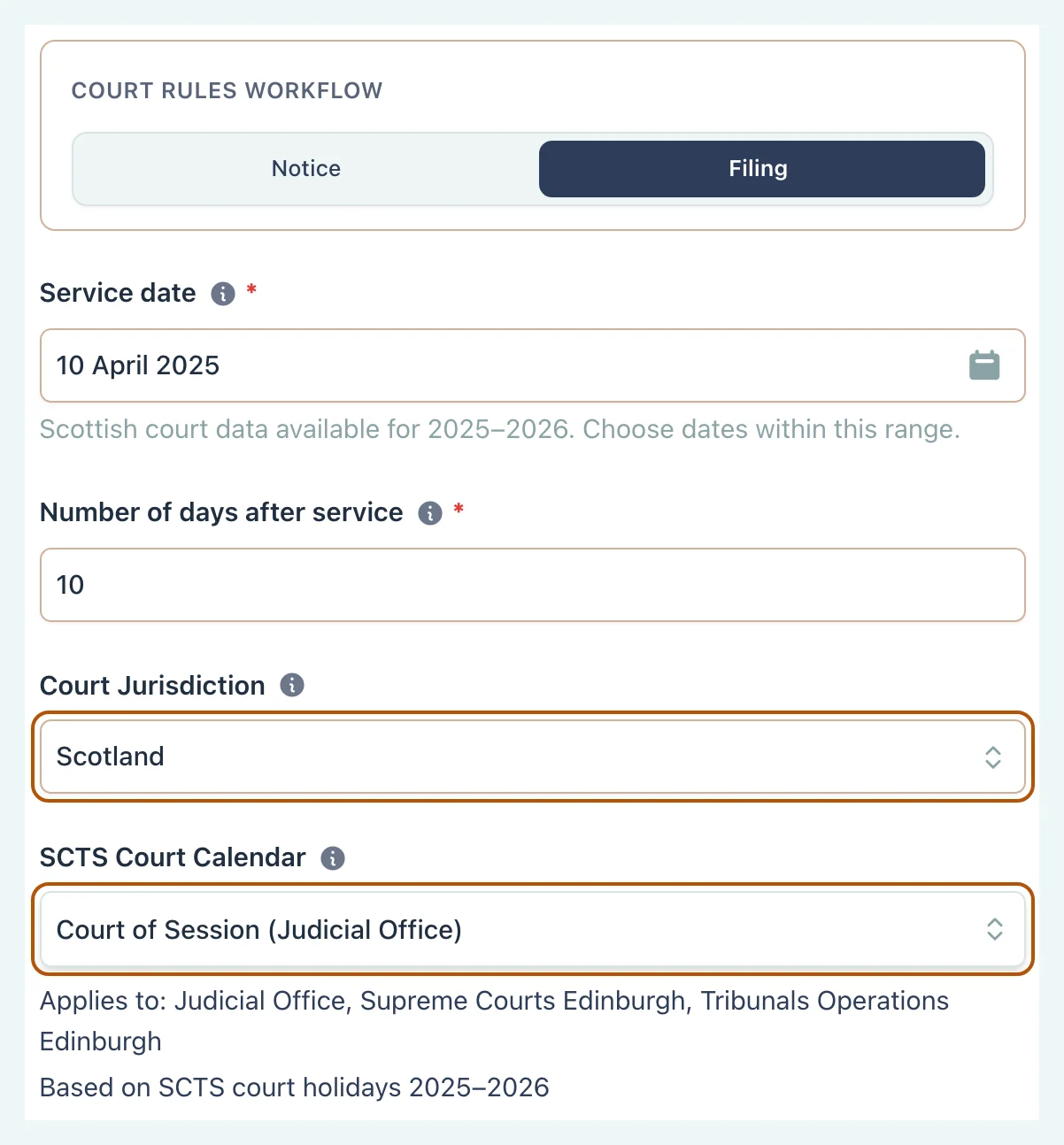
Topic
Set the Northern Ireland court level
Choose High Court or County Court and apply the optional Long Vacation control only when required.
Topic
Build sequential
Set up each documented stage and review the full timetable before calculation.
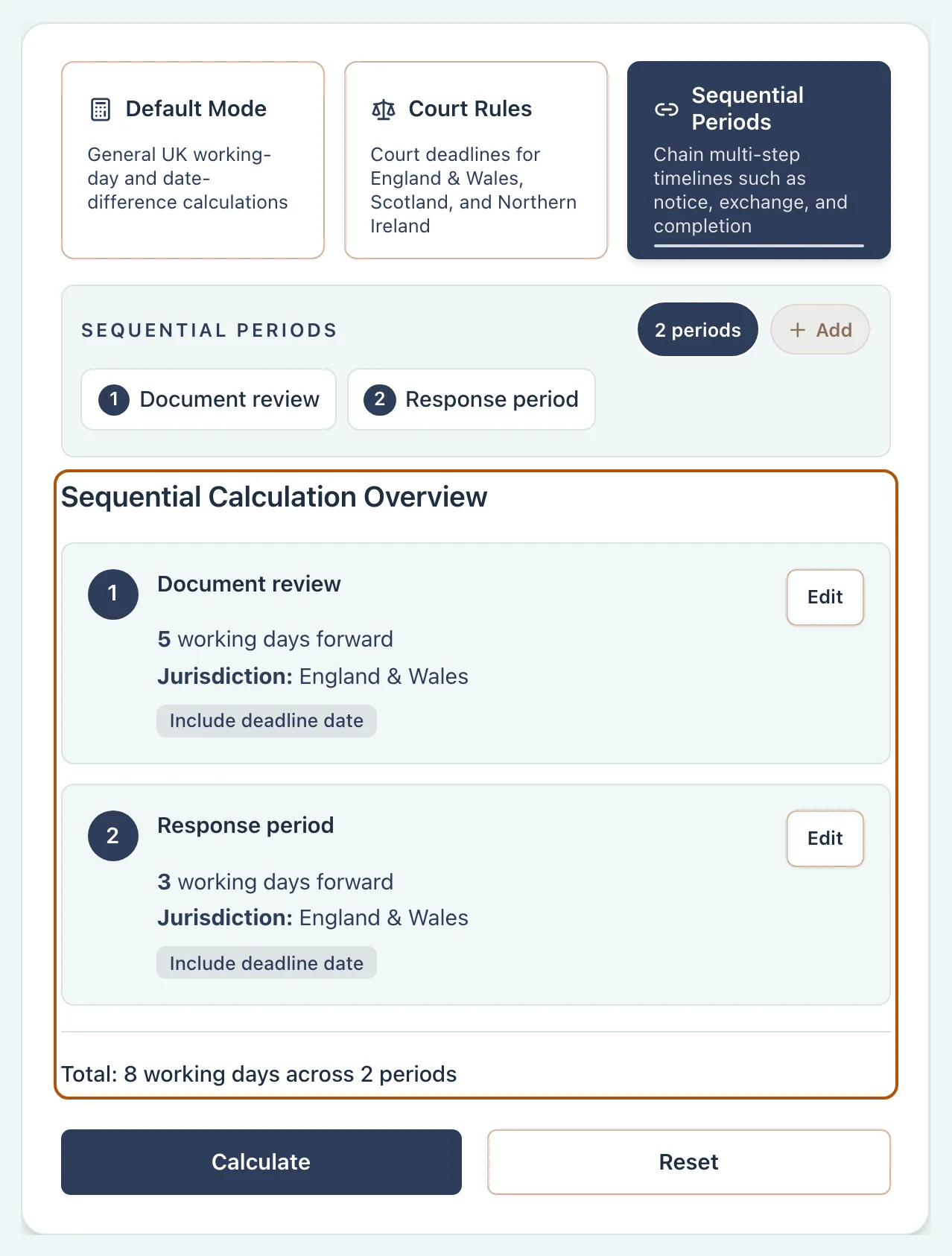
Verification
Read and check the result
At-a-Glance
- •Start with the headline date and Calculation details
- •Check the jurisdiction, boundaries and method used
- •Review every weekend, holiday, closure and adjustment
Do not stop at the headline date. The result panel records how the calculator reached it.
 Open full size
Topic
Troubleshooting
Find the setting most likely to explain an unexpected answer or missing control.